
Windows Server 2019 End of Support: Dates, ESU and Upgrades
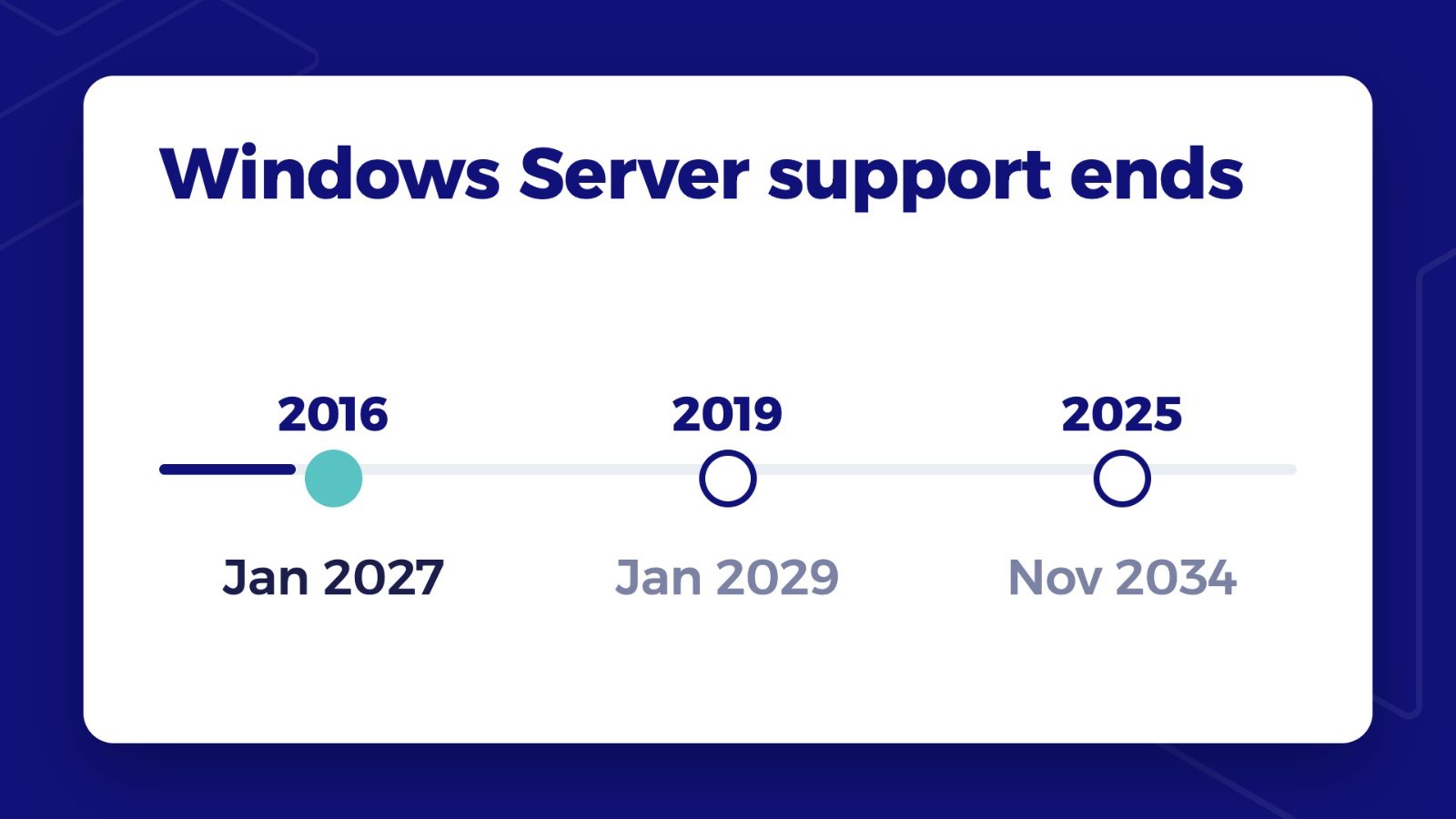
Windows Server 2019 receives security updates until 9 January 2029, and Microsoft has not announced Extended Security Updates for it. For Windows Server 2016 Microsoft did offer paid updates, announced eleven months before the deadline and no longer free in Azure. Planning 2019 on the assumption that a similar offer will appear is planning on something that does not exist yet.
That leaves 2027 and 2028 to move the servers that can move, and a plan for the ones that cannot. This page gives the dates per edition, what the 2016 precedent does and does not tell you, the upgrade paths and their blockers, the exploited vulnerabilities that affect 2019, and how to keep servers that miss the deadline defensible under NIS2.
Windows Server 2019 end-of-support dates
Windows Server 2019 Standard, Datacenter and Essentials follow the same lifecycle. Mainstream support, which included non-security fixes, ended on 9 January 2024. Extended support, which delivers the monthly security updates, ends on 9 January 2029.
| Version | Mainstream support ends | Extended support ends | Extended Security Updates |
|---|---|---|---|
| Windows Server 2016 | 11 Jan 2022 | 12 Jan 2027 | Paid, until 8 Jan 2030 |
| Windows Server 2019 | 9 Jan 2024 | 9 Jan 2029 | Not announced |
| Windows Server 2022 | 13 Oct 2026 | 14 Oct 2031 | Not announced |
| Windows Server 2025 | 13 Nov 2029 | 14 Nov 2034 | Not applicable |
Source: Microsoft Learn lifecycle pages for each version, Windows Server release information and the Extended Security Updates FAQ (updated 11 November 2026).
Two details cause confusion. Some search snippets show 10 January 2029, because Microsoft's page stores the end time in UTC; the calendar date in Microsoft's own time zone is 9 January. And the separate "Windows Server, version 1809" release from the Semi-Annual Channel, Server Core only, already ended in November 2020; that is not the Windows Server 2019 most organisations run. The Windows Server end-of-life timeline puts all versions side by side.
No ESU for 2019: what the 2016 precedent tells you
Microsoft's Extended Security Updates FAQ, updated on 11 November 2026, lists offers for Windows Server 2012 and 2012 R2, Windows 10 and Windows Server 2016. Windows Server 2019 does not appear. Microsoft describes ESU as "a last resort paid option" and "a temporary bridge", not a lifecycle extension.
For Windows Server 2016 the sequence was:
- 20 February 2026: Microsoft announced paid ESU for up to three years, eleven months before the 12 January 2027 deadline.
- 6 August 2026: ESU through Azure Arc became generally available, for Standard and Datacenter only, covering updates until 8 January 2030.
- Price: about €9.48 ($10.41) per two cores per month for Standard and €54.56 ($59.96) for Datacenter, with a minimum of 16 cores per physical server or 8 per virtual machine, and Software Assurance or subscription licences required.
- Azure is no longer free: "For Windows Server 2016, ESUs are a paid offering in Azure and incur additional charge". For 2012, ESU had been free on Azure virtual machines.
Converted from USD list prices at the ECB reference rate of 17 November 2026 (€1 = $1.0989); local EUR pricing may differ.
That is one data point, not a forecast. It shows that an offer can come late, can exclude editions such as Essentials, and is no longer free in any environment. The Windows Server 2016 checklist works through the 2016 ESU cost per core in more detail.
Upgrade paths from Windows Server 2019
Upgrading 2019 is simpler than upgrading 2016 was. Microsoft supports a direct in-place upgrade from 2019 to both 2022 and 2025. Since mid-April 2026, a 2019 server can also take Windows Server 2025 as an opt-in feature update through Windows Update, once the March 2026 cumulative update (KB5078752) or later is installed.
Three exceptions turn an upgrade into a project:
- Failover clusters can only advance one version per rolling upgrade, so a 2019 Hyper-V or file-server cluster goes to 2022 and then to 2025, or moves to a new cluster.
- Domain controllers should not be upgraded in place. Microsoft's advice is to "use a clean OS install to promote new domain controllers and demote the older ones".
- Older applications can break on 2025. Microsoft removed NTLMv1, disabled TLS 1.0 and 1.1 by default and deprecated RC4 in Kerberos. Test line-of-business software before upgrading the server it runs on.
Microsoft also warns that low free disk space is the leading cause of failed in-place upgrades and advises 30 to 40 GB free on the system disk.
On the target version: Windows Server 2022 already left mainstream support in October 2026 and ends in October 2031. Windows Server 2025 is supported until November 2034. For servers that move in 2027 or 2028, 2025 gives the longer runway.
Licences for the upgrade
"Unlike Windows client, each Windows Server upgrade requires a separate license." Organisations with active Software Assurance on volume licences do not need to buy a new product key for 2025; retail and OEM customers do. Microsoft's list price for Windows Server 2025 is about €1,070 ($1,176) for Standard and €6,162 ($6,771) for Datacenter, per 16 cores, and client access licences are required for every user or device that reaches the server. Pay-as-you-go licensing through Azure Arc lists at about €30.56 ($33.58) per core per month.
Converted from USD suggested prices at the ECB reference rate of 17 November 2026 (€1 = $1.0989); prices vary by country.
Exploited vulnerabilities that affect 2019
Of the Microsoft entries that CISA added to its Known Exploited Vulnerabilities catalogue between January 2025 and mid-November 2026, 36 list Windows Server 2019 as an affected product. Four of them are known to have been used in ransomware campaigns. Two are critical, network-reachable remote code execution flaws in server roles:
- CVE-2025-59287 in WSUS, the Windows update server role, rated 9.8 out of 10 and added to the catalogue in October 2025.
- CVE-2026-33824 in IKE Service Extensions, used by servers that terminate IPsec, rated 9.8 and added in August 2026.
Others include an SMB client flaw that lets an attacker coerce a server into authenticating to a malicious system (CVE-2025-33073) and an NTLM hash disclosure (CVE-2025-24054). Every one of the 36 received a fix for 2019, because 2019 is still in extended support. After 9 January 2029, a comparable flaw gets no fix unless Microsoft offers ESU.
Source: CISA KEV catalogue (version of 13 November 2026) and the Microsoft Security Update Guide.
Servers still running after January 2029
Some servers will not make the deadline: an application whose vendor only certifies 2019, a production system that cannot be touched, a server waiting on a project that slipped. The operating system keeps running after the date; what stops is patches, as the page on running a server after end of support explains. The question is how to keep such a server defensible.
Under NIS2, an unsupported system that is kept on purpose is a risk decision. Article 21 asks for risk-management measures, including vulnerability handling and access control. A server past its end of support needs a documented decision, compensating controls and an end date. The article on end-of-life systems under NIS2 covers what auditors expect.
Network controls cannot patch the server, but they decide who can reach the vulnerable code. That is why containment is the core of the plan for every server that stays.
How to contain a 2019 server that stays
- Remove direct internet exposure. Microsoft advises blocking TCP port 445 for SMB inbound from and outbound to the internet. RDP, WinRM, WSUS and IKE on a legacy server should not be reachable from the internet either.
- Segment the server into its own zone with default-deny rules and only the flows the workload needs. The identity-based segmentation article explains the step from VLANs to per-identity rules.
- Grant access per user and device, not per network. Zero trust access lets only authenticated users on compliant devices reach the specific application on the server, so the server is not addressable from the whole LAN or from every VPN user.
- Restrict outbound traffic from the server to the update and application endpoints it needs, which limits what an attacker can do after a local privilege escalation.
- Shrink the role footprint. Several exploited flaws sit in optional roles such as WSUS, AD FS and IKE. A server kept past 2029 should run only the role it is kept for.
- Document the exception with an owner, the compensating controls and the date the server will be retired.
Jimber ViPN covers points 2 to 4 without rebuilding the network: users and sites reach private applications through ZTNA, with access decided per identity and device and managed from one console. A legacy 2019 server then sits behind access rules instead of on a flat network. The ViPN package shows what is included, and the ZTNA page how per-application access works. To test it on one legacy application: Try Free.
A 2027-2028 plan
- First half of 2027: inventory every 2019 server with its role, application owner and vendor support statement. Separate easy in-place candidates from domain controllers, clusters and certified applications.
- Second half of 2027: build new 2025 domain controllers, upgrade file and application servers in place, and test legacy applications against 2025's protocol changes.
- 2028: run cluster upgrades or migrations, budget licences and CALs, and put containment in place for every server that will not move before January 2029.
- Throughout: watch for an ESU announcement, but do not budget on it.
The case for waiting until the last day
An experienced Windows Server administrator would argue three things. Windows Server 2019 is fully patched until January 2029, so upgrading early only brings licence costs forward. Microsoft offered ESU for 2008, 2012 and 2016, so it will probably do the same for 2019. And with the in-place feature update, an upgrade is a maintenance window, not a project.
The first point is true for patching, but it ignores the work that cannot be compressed: domain controllers, clusters that need two passes, and applications that break on 2025's protocol changes. The second is a bet, and the 2016 precedent shows the bet now costs money even in Azure. The third holds for simple servers and is a good reason to clear those early, so that 2028 is spent on the few servers that need real work and on containing the ones that stay.
Conclusion: plan for no ESU, contain what stays
Windows Server 2019 is supported until 9 January 2029, and no Extended Security Updates have been announced. Upgrade what can move to Windows Server 2025, which is supported until 2034, start with domain controllers and clusters, and treat every server that will not make it as a documented exception behind access controls. Try Free to put one legacy application behind zero trust access, or book a demo to walk through your 2019 estate with the Jimber team.
Frequently asked questions
How long will Windows Server 2019 be supported?
Windows Server 2019 receives security updates until 9 January 2029, the end of its extended support. Mainstream support, which included non-security fixes, ended on 9 January 2024. The dates apply to the Standard, Datacenter and Essentials editions. Microsoft has not announced paid Extended Security Updates beyond January 2029.
Is Windows Server 2019 end of life in 2024 or 2029?
2029. The 2024 date was the end of mainstream support on 9 January 2024. Security updates continue until 9 January 2029. The separate Semi-Annual Channel release "Windows Server, version 1809", which was Server Core only, ended in November 2020 and is often confused with Windows Server 2019.
Is there ESU for Windows Server 2019?
Not today. As of November 2026, Microsoft's ESU FAQ lists Windows Server 2012 and 2012 R2 and Windows Server 2016, but not 2019. For 2016, Microsoft announced paid ESU eleven months before the deadline, priced per core through Azure Arc and no longer free in Azure. Budget for 2019 without assuming the same offer will appear.
Can you upgrade Windows Server 2019 to 2025?
Yes. Microsoft supports a direct in-place upgrade from Windows Server 2019 to 2025, from installation media or as an opt-in feature update in Windows Update once the March 2026 cumulative update is installed. Clusters must upgrade one version at a time, and Microsoft advises building new domain controllers instead of upgrading them.
Do I need a new licence to upgrade from 2019?
Yes. Microsoft states that each Windows Server upgrade requires a separate licence. Customers with active Software Assurance on volume licences do not need to buy a new product key for 2025; retail and OEM customers do. Client access licences are required for every user or device that accesses the upgraded server.
Should I upgrade 2019 domain controllers in place?
No. Microsoft advises against in-place upgrades for servers running Active Directory Domain Services. Build new domain controllers on a clean Windows Server 2025 installation, transfer the FSMO roles, and demote the old 2019 domain controllers.
Can a 2019 Hyper-V cluster upgrade directly to 2025?
No. A cluster operating system rolling upgrade can only advance one version at a time, so a 2019 cluster goes to 2022 first and then to 2025. The alternative is to build a new 2025 cluster and migrate the workloads.
What breaks most often when moving to Windows Server 2025?
Older applications that depend on protocols Microsoft changed: NTLMv1 is removed, TLS 1.0 and 1.1 are disabled by default and RC4 in Kerberos is deprecated. Low free disk space is the leading cause of failed in-place upgrades; Microsoft advises 30 to 40 GB free on the system disk.
What happens to a Windows Server 2019 machine after January 2029?
It keeps running, but it no longer receives security updates, and no ESU has been announced. Under NIS2, keeping it is a risk decision that needs documentation, compensating controls and an end date. Remove internet exposure, segment it and allow access only for identified users on compliant devices.