
Watch the endpoint
Check devices for malicious files and unusual network activity, and respond to Microsoft Defender events.
Detect malicious files and network anomalies on devices, then set actions by severity and group. Quarantine, disable SASE access, or lock down an endpoint when your policy calls for it.
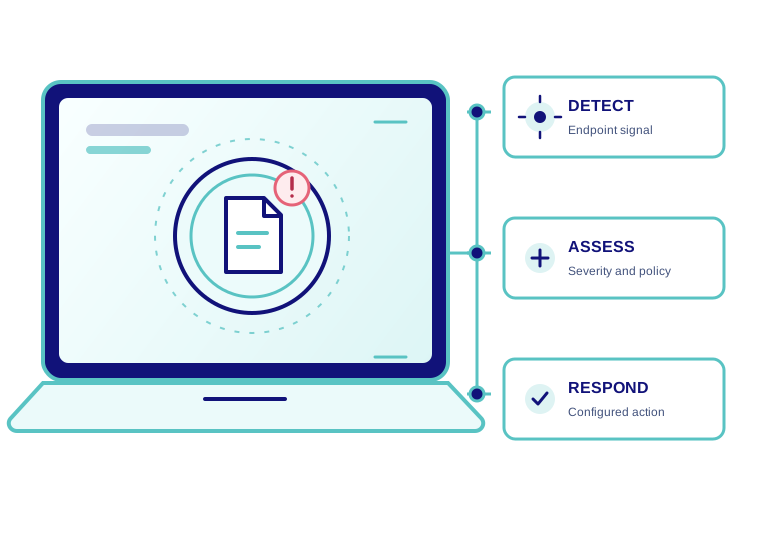
Endpoint protection that keeps watching and can take action.
EDR checks devices for signs of malicious activity. Jimber lets you configure detection for malicious files and network anomalies, then choose how to respond at each severity. Those response choices can help contain an affected endpoint while your team investigates.
Choose the signals to watch, decide how severe they are, and set the response in advance.
Check devices for malicious files and unusual network activity, and respond to Microsoft Defender events.
Use detection sensitivity and severity to distinguish events that need attention from those that need immediate action.
Choose what happens at each severity, from quarantining a file to disabling SASE access or locking down a device.
Select a group, tune malicious file detection, and choose when to quarantine, disable SASE access, or lock down a device. Network anomaly detection has its own response settings.
Contain a suspicious endpoint according to your policy instead of waiting for a manual decision on every alert.
Set different actions for low, medium, high, and critical events rather than treating every signal the same way.
Keep endpoint policy consistent for devices used in an office, at home, or on the move.
Tune detection and response by group in the same console as your other Jimber security controls.
Bring Microsoft Defender into your endpoint response workflow.
Use Microsoft Defender events to trigger the response you configure in Jimber, so your team can act when a protected endpoint needs attention.
Manage Microsoft Defender on your endpoints alongside Jimber's other EDR settings, with one place to oversee endpoint protection.
Configure the detection and containment actions that fit each group.
Choose the sensitivity of file detection for each group.
Set actions when an endpoint shows suspicious network behaviour.
Decide how Jimber should respond to a detected event.
Connect endpoint response with the access controls in Jimber SASE.
Endpoint response and SASE access belong together. In Jimber, a detection can trigger an access response you configured, while the same console holds the policies for people, devices, and networks.
Explore how Jimber configures endpoint detection and response in one console.
Antivirus focuses on identifying malicious files. EDR adds ongoing detection and response on the endpoint, including signals such as unusual network activity and configured containment actions.
No. You choose response actions by severity. A policy can quarantine a file, disable SASE access, lock down a device, or leave an action off for that severity.
Yes. The EDR Configuration screen lets you select a group, set detection sensitivity, and choose response actions for each severity.
It removes the affected endpoint’s SASE access when that response is enabled for a detected event. This helps stop it reaching resources through Jimber while the team investigates.
Yes. Jimber’s EDR Configuration includes Network Anomaly Detection with response options by severity, alongside Malicious File Detection.
Jimber can respond to Microsoft Defender events and lets you manage Microsoft Defender on endpoints alongside your EDR settings.
Start with a setting that fits the group and review the resulting detections. Higher sensitivity can produce more false positives, so tune it with the response actions your team is ready to use.