
Physical appliance
A dedicated on premises Network Controller for branches, factories, and sites that need local network control.
Jimber SD-WAN connects branches, factories, and remote sites through one cloud managed platform. Keep applications moving across available links while policy stays consistent.
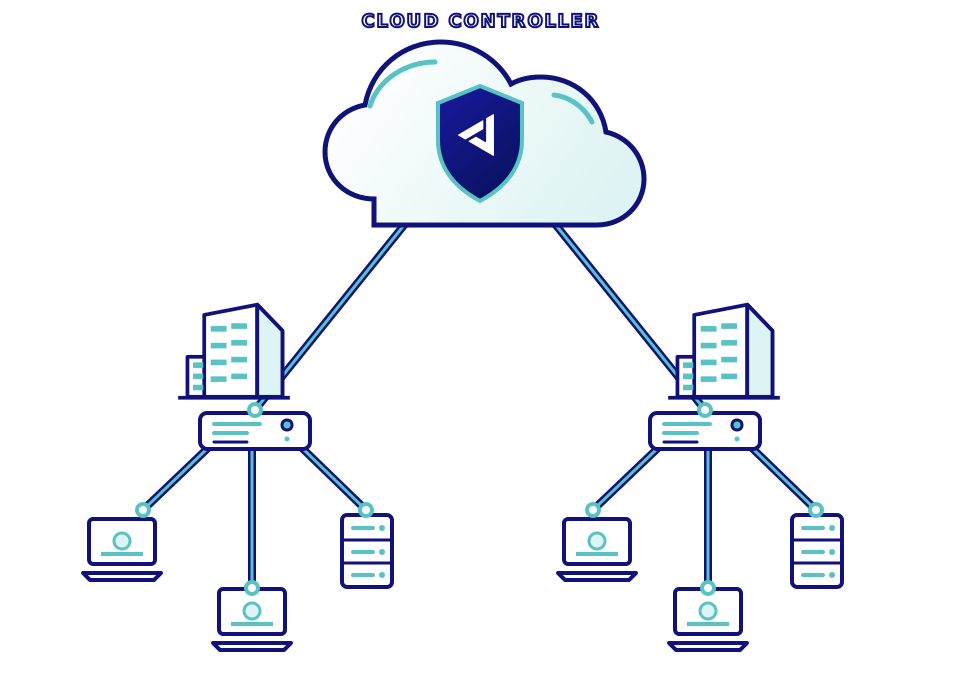
SD-WAN is a way to connect locations through software controlled routing and policy, instead of managing every link as a separate network.
Jimber brings fiber, cable, and mobile connections together. Network Controllers steer application traffic across available paths and can switch to another link when needed. You manage connectivity and access policy from one cloud console, with Zero Trust controls across sites.
Each site gets a controller. The console supplies the rules. Traffic follows a healthy, permitted path.
Install a Jimber Network Controller at each location and use the connections already available, including fiber, cable, and mobile links.
Existing links, one networkChoose which sites and services may communicate, then manage those access rules for every location from the cloud console.
One place to manageJimber selects the shortest permitted path between sites. When a user moves to another location, traffic automatically follows the right route for that site.
Routes adapt to locationA Jimber Network Controller joins your existing physical network and connects local devices with approved SASE resources. Choose the appliance form that fits the site.
Assign addresses and resolve names locally.
Allow only the traffic you choose between segments.
Connect selected devices and resources to remote destinations.
A short walkthrough of physical and virtual Network Controllers, local services, VLANs, and secure routes.
Connectivity, security, and operations work together in one platform.
Make better use of the links at every site.
Keep access specific, even across locations.
Manage the network without visiting every branch.
Choose the form that fits each location.
A VPN creates an encrypted connection. SD-WAN also manages how traffic travels between sites, choosing from available links and applying central policy. Jimber pairs that connectivity with Zero Trust access controls.
When another configured link is available, the Network Controller can steer traffic to it. The result depends on the links and policies at that site.
No. You can start with your existing fiber, cable, and mobile connections, then add or replace links as your needs change.
Yes. Both the physical and virtual Jimber Network Controllers can join a physical network and provide permitted access between local devices and Jimber SASE resources.
Yes. Network Controllers can connect industrial networks while policies limit which devices, VLANs, and remote resources are allowed to communicate.
Administrators configure routes, access policies, and IPsec tunnels in the Jimber management console. The same policy model can be applied across locations.