

Check the device
Jimber evaluates the posture requirements you have configured for the device and its operating system.
Check device posture before access, then give users a simple way to sign in to their connected cloud apps with Jimber.
YOUR WORKSPACE
Use your work account to access this application.
Identity tells you who is signing in. Device posture adds the condition of the device they are using.
Jimber checks devices against the posture requirements you set, such as operating system version, administrator status, or enabled services. Access policies can use the result to decide whether a user may continue to a connected app or protected resource.
Set the conditions a device must meet. Jimber reports each check as pass, fail, or unknown, giving your access policies a practical way to respond.
Jimber evaluates the posture requirements you have configured for the device and its operating system.
A pass, fail, or unknown result gives your access policies a clear signal before the device reaches protected resources.
For devices running the Jimber agent, users can open connected cloud applications through a simple Login with Jimber flow.
DEVICE POSTURE
The example shows posture rules for SSH, local administrator status, Windows version, and RDP. Administrators can see which checks pass, fail, or have no result, then use that context in their access policies.
Cloud Authentication gives users a one-click way into the applications connected to Jimber. The Jimber agent helps bring device context into the sign-in flow, so access can account for both the person and the device.
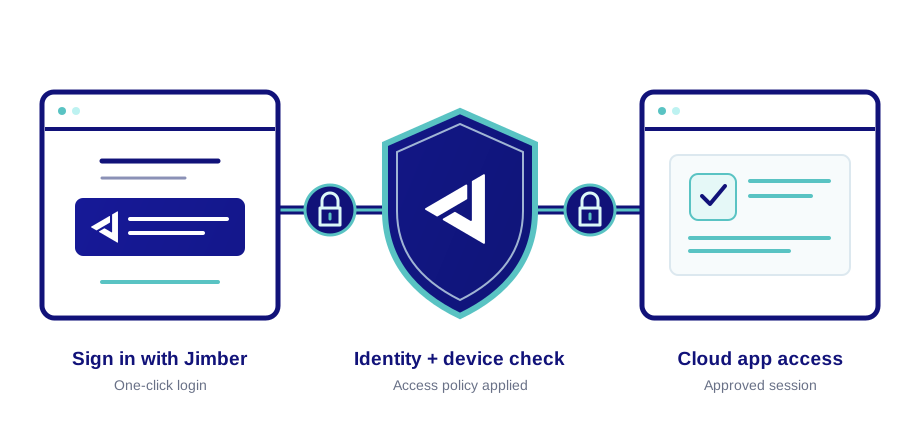
Use configured posture requirements to understand whether a device meets your baseline before it reaches protected apps.
Give people one familiar Login with Jimber action for the cloud applications connected to your environment.
Use the user identity and agent supplied device context together when deciding who can reach each app.
Bring cloud authentication and device posture into the same access decision.
Try for freeA posture check tests a device against requirements you configure, such as operating system version, administrator status, or whether a service is enabled.
The posture result can be used by access policies to decide whether the device can reach a protected resource. You choose the requirements and the access policy.
It gives users a simple way to sign in to cloud applications connected to Jimber. On devices with the Jimber agent, the login can use the device context alongside the user identity.
Yes. User identity and device posture can inform access to connected apps, so a successful sign-in can be evaluated together with the device requirements you set.
The posture policy is configured for a selected group. This lets administrators apply requirements that fit the devices and users in that group.