
Windows 11 23H2 End of Life: Dates per Edition
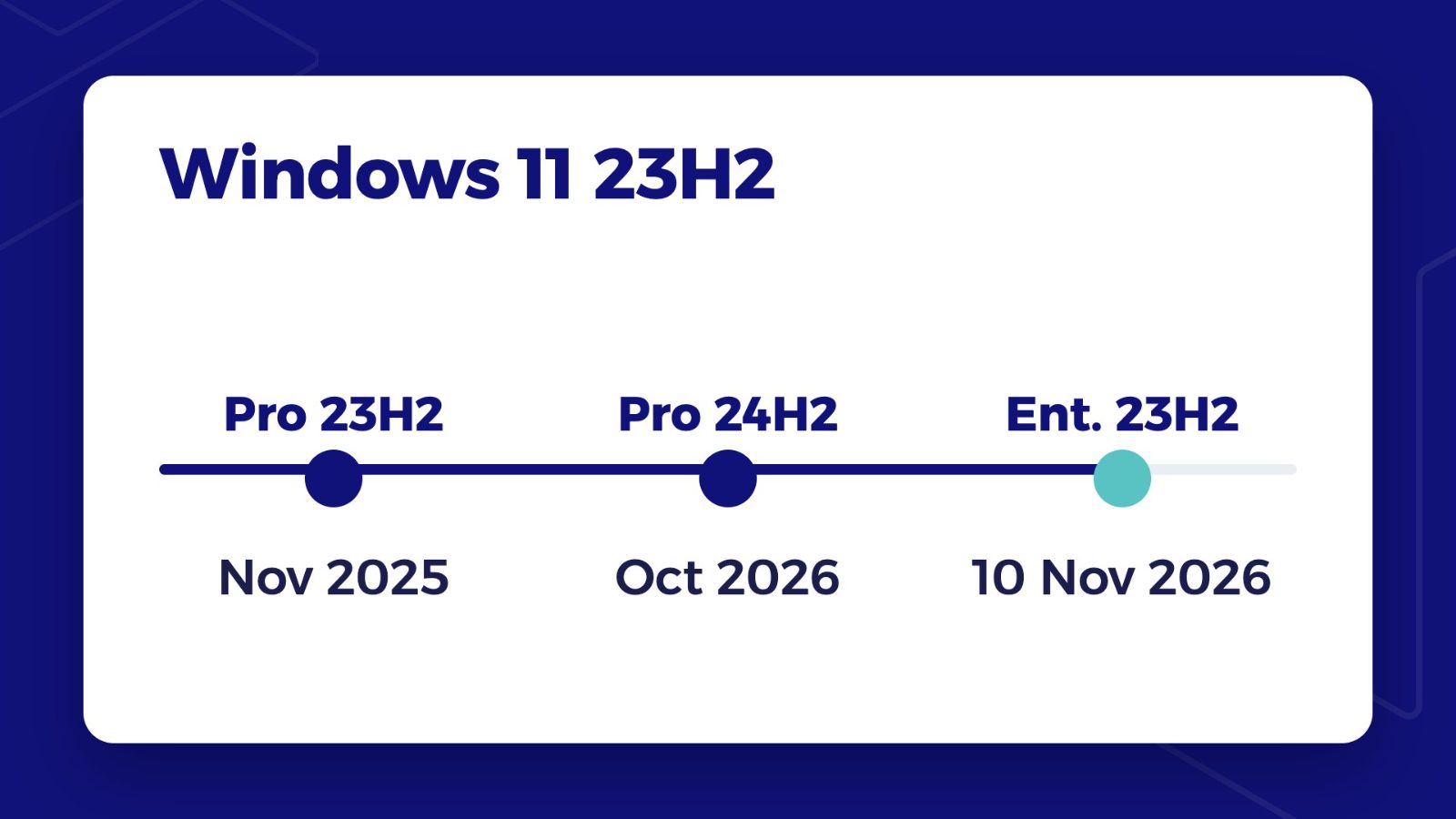
Windows 11 Enterprise, Education and Enterprise multi-session, version 23H2, receive their last monthly security update on Patch Tuesday, 10 November 2026. Microsoft's lifecycle page lists the end date as 11 November 2026, 6:59:59 AM, with the note that "support dates are shown in the Pacific Time Zone". Windows 11 Pro on 23H2 already stopped receiving security updates after 11 November 2025.
The devices keep working after these dates. What changes is that every new Windows vulnerability stays open on them, while they still connect to the same file servers, ERP systems and admin tools as every patched laptop. This page covers the dates per edition, what end of servicing means, what an unpatched device means for your network, and how to contain those devices until the upgrade is done.
Windows 11 23H2 end of servicing per edition
Microsoft gives each Windows 11 version 36 months of servicing on Enterprise and Education editions, and 24 months on Pro and Home. For 23H2, released on 31 October 2023, that means:
| Edition | Servicing period | Last security update for 23H2 |
|---|---|---|
| Enterprise, Education, Enterprise multi-session | 36 months | 10 November 2026 |
| Pro, Pro Education, Pro for Workstations, Home | 24 months | 11 November 2025 |
Source: Microsoft Lifecycle, Windows 11 Enterprise and Education; Windows 11 Home and Pro; Lifecycle FAQ for Windows.
For Enterprise and Education, Microsoft's message center confirmed that the November 2026 security update is the final monthly security update for 23H2. For Home and Pro, Microsoft's announcement of August 2025 said the edition "will no longer receive security updates after November 11, 2025".
The Windows 11 version lifecycle, 23H2 to 26H2
The Pro column matters for many mid-market companies, because Pro gets twelve months less per version than Enterprise. A Pro device on 24H2 lost support in October 2026.
| Version | Released | End: Enterprise, Education | End: Pro, Home |
|---|---|---|---|
| 23H2 | 31 October 2023 | 11 November 2026 | 12 November 2025 |
| 24H2 | 1 October 2024 | 13 October 2027 | 14 October 2026 |
| 25H2 | 30 September 2025 | 11 October 2028 | 13 October 2027 |
| 26H1 | 10 February 2026 | 14 March 2029 | 15 March 2028 |
| 26H2 | 29 September 2026 | 9 October 2029 | 10 October 2028 |
Source: Microsoft Lifecycle, Windows 11 Enterprise and Education; Windows 11 Home and Pro. End dates as listed by Microsoft in Pacific Time; the last update falls on the Patch Tuesday before.
In practice: a Windows 11 Pro device is supported today only on 25H2 or later. An Enterprise device is supported on 24H2 or later.
What end of servicing means, and what it does not
End of servicing means no more monthly quality updates for that version: no security fixes and no non-security fixes. It does not mean the device stops. Microsoft's lifecycle FAQ is explicit that an operating system "may still work with programs and hardware" after support ends.
Unlike Windows 10, there is no paid extension. Microsoft describes its Extended Security Updates programme only for Windows 10, which reached end of support on 14 October 2025; the Windows 10 ESU article covers that route. For Windows 11, the lifecycle FAQ tells customers to "always install the latest version before the current version reaches end of servicing". The upgrade itself is free on the same hardware.
What an unpatched 23H2 device means for your network
An unpatched Windows 11 device is a standing entry point into every system it can reach. In 2025, CISA added 29 actively exploited Windows vulnerabilities to its Known Exploited Vulnerabilities catalogue, and 15 more in 2026 up to the end of October. A device on an unserviced version receives no fix for any of those disclosed after its end date.
The risk is not the laptop on its own. It is what the laptop can reach. In most mid-market networks, a device that connects through the office LAN or a full-tunnel VPN can reach file shares, line-of-business applications and management interfaces on the same network level as a fully patched device. The operating-system version plays no role in that access decision.
That is the gap between Microsoft's guidance and daily operations. Microsoft tells you to upgrade before the deadline. Some devices will not make it: a failed feature update, an application that blocks the upgrade, a laptop that has not been online for weeks, a safeguard hold. For those devices, the question is not when they will be upgraded but what they can reach in the meantime.
NIS2 adds a formal angle for organisations in scope: running unsupported systems is part of the risk-management duty of care. The article on end-of-life systems under NIS2 covers what that means in practice.
Keeping unsupported builds off internal applications
Containment means checking the Windows build at the moment of access and refusing or limiting access when the build is too old. Microsoft's own tools do this for cloud applications. For internal applications reached over the LAN or a VPN, the check has to happen in the access layer.
For cloud applications: Intune compliance and Conditional Access
In Microsoft Intune, a Windows compliance policy can set a minimum OS version, entered in the major.minor.build.revision format. Microsoft's documentation states that "when a device has an earlier version than the OS version you enter, it's reported as noncompliant", and the user gets a link to upgrade. For finer control, the "valid operating system builds" setting accepts build ranges per Windows release. Conditional Access can then require a compliant device before granting access.
That covers applications that sign in through Microsoft Entra ID. It does not cover a file server, an on-premises ERP system or an admin interface that a user reaches through the network.
For internal applications: posture checks in the access layer
For everything that is reached through the network, the same check has to happen where the connection is made. A ZTNA platform with device posture checks evaluates attributes such as the operating-system version or patch level at connection time and grants access per application, not to the whole network. A device that falls below the minimum then loses access to sensitive applications while keeping access to what it needs to upgrade. The device posture guide explains the mechanism, and continuous posture signals covers which attributes are worth checking.
If you evaluate a ZTNA platform for this, ask two concrete questions: can it check the Windows build at every connection, and can it limit access per application rather than block the device entirely? Try Free to test that with the Jimber SASE platform on a group of devices still on 23H2.
Containment steps until the upgrade is done
- List devices by edition and version. Pro and Enterprise have different dates. A Pro device on 24H2 is already unsupported.
- Set the minimum build in your compliance policy to the oldest supported version for each edition, and require compliance for cloud applications.
- Apply the same minimum in the access layer for internal applications reached through the network or a VPN.
- Keep an exception list with an end date for devices that cannot upgrade yet, with the reason and the owner per device.
- Schedule the remaining upgrades and check readiness reports for safeguard holds before each wave.
Upgrade paths and blockers
A device on 23H2 needs a full feature update to move on. Windows 11 24H2 changed the core of the operating system, so the small enablement package that Microsoft used for some earlier versions does not apply to the step from 23H2. From 24H2 onwards, the move to 25H2 is an enablement package: a small update that switches on features already present, which requires the device to run 24H2 first.
Microsoft can hold back feature updates on devices with known compatibility issues through safeguard holds. Check the readiness and safeguard-hold reporting in your management tools before scheduling a wave. Sources differ on whether Microsoft currently recommends 25H2 or 26H2 as the target; either one is supported for Enterprise well beyond 2027.
Servers follow their own lifecycle; the Windows Server end-of-life timeline lists those dates.
The case for handling this in Intune alone
An experienced Windows and Intune administrator would push back on parts of this.
"This is a solved problem." Intune pushes the feature update, a compliance policy marks laggards non-compliant and Conditional Access blocks them. True for every application that signs in through Entra ID.
"Most of our applications are in Microsoft 365 and SaaS." For many organisations, yes, and that share keeps growing. The remaining internal applications are often the most sensitive ones: finance, production, management interfaces.
"Blocking devices creates helpdesk chaos." A hard block on day one does. Limiting access per application, with an exception list and an end date, avoids most of that while the upgrade wave finishes.
Conclusion
Windows 11 23H2 Enterprise and Education receive their last security update on 10 November 2026. Windows 11 Pro is stricter: 23H2 ended in November 2025 and 24H2 in October 2026, so Pro devices need 25H2 or later. There is no paid extension for Windows 11 versions.
Upgrade what you can, and contain what you cannot: a minimum build in your compliance policy for cloud applications, and the same check in the access layer for everything internal. Try Free to test application-level access for devices still on 23H2, or book a demo to go through your own device estate.
Frequently asked questions
How long will Windows 11 23H2 be supported?
Windows 11 23H2 Enterprise, Education and Enterprise multi-session get their last security update on Patch Tuesday, 10 November 2026. Home and Pro already stopped on 11 November 2025. After those dates the devices keep working but receive no security fixes, and Microsoft offers no paid extension for Windows 11 versions.
Is my Windows 11 Pro device still supported?
Only on version 25H2 or later. Windows 11 Pro gets 24 months per version: 23H2 ended on 11 November 2025 and 24H2 in October 2026. Version 25H2 is supported until October 2027 and 26H2 until October 2028 on Pro.
What happens when Windows 11 23H2 reaches end of servicing?
The device keeps running, but Microsoft stops monthly security and quality updates. New vulnerabilities stay open on that device. In 2026 alone, CISA added 15 actively exploited Windows vulnerabilities to its catalogue up to the end of October, so an unserviced device becomes a growing risk for every system it can reach.
Can I buy extended security updates for Windows 11 23H2?
No. Microsoft describes its paid Extended Security Updates programme only for Windows 10. For Windows 11, Microsoft tells customers to install the latest version before the current version reaches end of servicing, and the upgrade is free on the same hardware.
How do I upgrade from 23H2 to 25H2?
23H2 needs a full feature update, because 24H2 changed the core of Windows. From 24H2, the move to 25H2 is a small enablement package. Devices with a known compatibility issue can be held back by Microsoft safeguard holds, so check readiness reports before scheduling.
How do I block unsupported Windows versions from company resources?
Set a minimum OS version or valid build range in a device compliance policy and require a compliant device for access. In Microsoft Intune with Conditional Access, that covers cloud apps signed in through Entra ID; internal applications behind a VPN need a posture check in the access layer itself.
Does Conditional Access protect our internal file server or ERP system?
Only applications that authenticate through Microsoft Entra ID. Internal applications reached over the office network or a VPN are outside Conditional Access, so the operating-system check has to happen in the access layer that connects users to those applications.
Is Windows 11 24H2 still a safe target?
For Enterprise and Education, yes: 24H2 is supported until October 2027. For Pro and Home, no: 24H2 already reached end of servicing in October 2026, so Pro devices should move to 25H2 or later.
Is this the same as Windows 10 end of support?
No. Windows 10 reached end of support entirely on 14 October 2025, with a paid Extended Security Updates option. Windows 11 23H2 is one version of a supported operating system reaching its end; the fix is a free upgrade to a newer Windows 11 version.