
SASE for education: secure school networks across sites
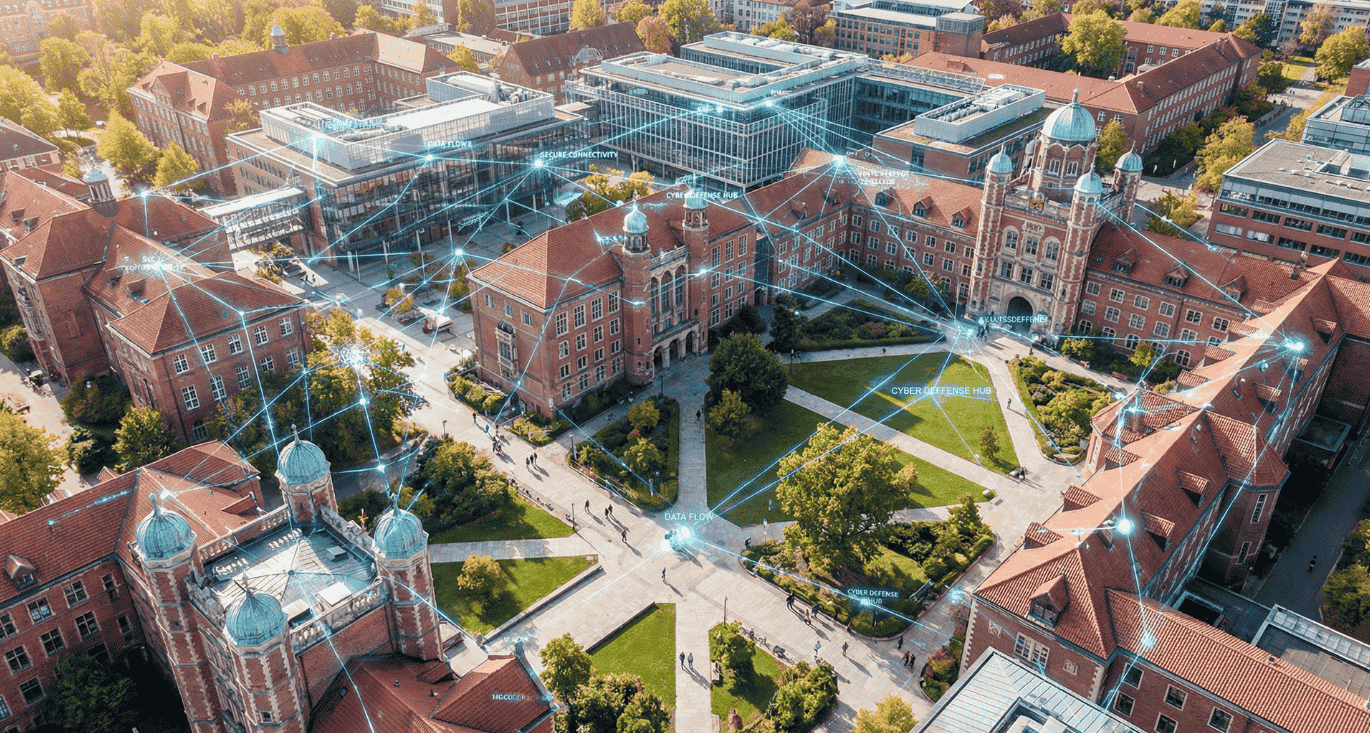
Schools and universities are under siege. Education is now the most-attacked sector globally, with institutions facing an average of 4,388 cyberattacks per week according to Check Point’s Q2 2025 data. That is more than double the cross-industry average. Yet most school IT teams consist of one or two people managing everything from broken projectors to ransomware alerts.
This guide explains how a Secure Access Service Edge (SASE) architecture addresses the specific challenges educational institutions face: multi-site connectivity, unmanaged student devices, regulatory pressure under GDPR and NIS2, and chronic underfunding. It maps each SASE component to a concrete education problem and outlines a phased approach that fits the realities of school IT budgets.
Why education has become the top target for cyberattacks
Education did not end up at the top of the threat list by accident. The sector combines three factors that attackers exploit: a vast attack surface, limited defences, and highly valuable data.
Sophos found that 63% of primary/secondary education organisations and 66% of higher education institutions were hit by ransomware in 2024. Both figures exceed the global cross-sector average of 59%. Exploited vulnerabilities accounted for 44% of those attacks in schools, with phishing surging over 200% in the same period.
The financial damage is severe. Mean ransomware recovery costs for higher education reached $4.02 million in 2024, nearly four times the previous year. The average education data breach now costs $3.8 million according to IBM’s 2025 report. And the PowerSchool breach in December 2024, the largest in education history, exposed records of 62 million students across 18,000 schools in 90 countries.
European institutions are far from immune. Eindhoven University of Technology in the Netherlands was forced to cancel classes and postpone exams after a January 2025 cyberattack shut down its entire network. Sorbonne Université in Paris suffered an attack targeting its Polytech division. Frankfurt University of Applied Sciences had to shut down all IT systems in July 2024. In Belgium, 120 unique ransomware cases were reported in 2024, and the country sits in the global top ten for cyberattacks.
The pattern is clear. Attackers target education because defences are thin and the data is rich: student records, research intellectual property, financial information, health data from campus clinics, and identity documents from international students.
The five security challenges schools and universities share
Educational institutions share a specific set of challenges that traditional security tools were never designed to solve.
Multi-site sprawl with inconsistent security. A typical school district or university operates across dozens of buildings: campuses, libraries, sports facilities, administrative offices, satellite locations. Each site needs connectivity and security. The traditional approach means installing firewalls at every location and managing them individually. For a two-person IT team, that is unworkable. The SASE approach to securing distributed services without complexity applies directly here.
Thousands of unmanaged devices. Student laptops, tablets, and phones connect daily. BYOD is not optional in education, it is the operating model. During the pandemic, districts like Colorado Springs went from 15,000 to 50,000 devices practically overnight. These devices cannot be fully managed. They cannot run enterprise agents. They need a different security model entirely.
Skeleton IT teams with impossible workloads. Two thirds of school districts lack a full-time cybersecurity position. In the UK, only 37% of further education colleges have dedicated cybersecurity staff. The average school IT coordinator manages network infrastructure, user support, device provisioning, and security incident response simultaneously. Any security solution that requires complex configuration or constant maintenance is a non-starter.
Massive ed-tech sprawl creating supply chain risk. Schools now use an average of 2,739 different ed-tech tools, growing 8% annually. Each tool processes student data. Each represents a potential attack vector. Each requires its own access policies. The PowerSchool breach demonstrated what happens when a single vendor in the supply chain is compromised: records across thousands of schools were exposed through one set of stolen credentials.
Regulatory pressure that keeps growing. GDPR applies to every school processing student data, with Article 8 providing enhanced protection for children’s data (Belgium sets the consent threshold at 13). NIS2 does not mandate inclusion of education, but Article 2(5)(b) explicitly permits member states to include educational institutions. The Netherlands has already decided to bring universities under its Cyberbeveiligingswet. In Belgium, supply chain provisions under NIS2 may pull schools into scope indirectly. The NIS2 compliance checklist covers what auditors expect from organisations preparing for verification.
How schools handle security today, and where it breaks down
Most schools rely on a combination of on-premises firewalls (often Fortinet FortiGate, Sophos, or Cisco Meraki), basic web content filtering, email security, and whatever protection comes built into Google Workspace or Microsoft 365.
This stack worked when students and staff were always on campus. It does not work now. Students take devices home. Staff work remotely. Cloud applications are the default. The network perimeter dissolved years ago, but the security architecture has not caught up.
Content filtering illustrates the problem. Regulatory requirements in most jurisdictions mandate that schools filter web content. Traditional filtering works on the school network but fails the moment a student takes their device home. Schools need filtering that follows the user, not the location. That requires a cloud-based approach.
VPNs create another friction point. Administrative staff and researchers accessing internal systems remotely get broad network access through VPN tunnels. This contradicts every principle of least-privilege access and leaves schools exposed if a single credential is compromised. Research by Verizon confirms the risk: 86% of web application compromises in education involved stolen credentials.
Network segmentation between administrative systems (finance, student records, HR) and educational systems (learning management, classroom tech) is recommended by every security framework. In practice, most schools either have not implemented it or rely on basic VLAN configurations that an attacker can bypass once inside.
The result is what the cybersecurity community calls being “target rich, cyber poor.” Schools hold some of the most sensitive data of any sector, protected by some of the weakest defences.
How each SASE component solves a specific education problem
SASE converges networking and security into a single cloud-managed platform. For education, this convergence is not a nice-to-have. It is the only realistic way to deliver consistent security with a small team.
| Education challenge | SASE component | What it does |
|---|---|---|
| Multi-site connectivity across campuses, libraries, and remote locations | SD-WAN | Replaces expensive MPLS circuits and per-site firewall hardware with software-defined connectivity. New sites connect in hours, not weeks. Policies apply consistently across all locations. |
| Content filtering for child safety and regulatory compliance | Secure Web Gateway (SWG) | Enforces web filtering, SafeSearch, and threat blocking regardless of where users connect. Policies follow the user, not the network. Works on campus, at home, and on the road. |
| Staff and researcher access to internal applications | Zero Trust Network Access (ZTNA) | Replaces VPN with identity-based, per-application access. Faculty access only the systems their role requires. Visiting researchers get scoped access without joining the network. |
| Student BYOD and unmanaged devices | Browser isolation | Creates sandboxed browsing sessions where web content runs in a cloud container. No agent installation required. Student devices are protected without IT managing each endpoint. How browser isolation works in practice. |
| Cloud firewall policies across all sites | Firewall-as-a-Service (FWaaS) | Eliminates per-site firewall hardware. One set of firewall policies applies everywhere. No more hardware refresh cycles eating into already thin budgets. |
| Campus IoT: building management, HVAC, access control, lab equipment | NIAC hardware | Inline isolation for devices that cannot run agents. Restricts communication to approved flows without modifying the devices. Brings agentless assets under Zero Trust controls. |
| Compliance evidence for GDPR, NIS2, and national frameworks | Single management console | Centralised logging, policy versioning, and exportable reports. One audit trail for all access decisions across every site and user. |
The single console is the clincher for education. When 66% of schools lack dedicated security staff, every tool that requires separate management adds burden. A platform that unifies access control, web filtering, network connectivity, and compliance reporting in one interface is not just convenient. It is the difference between manageable security and no security at all.
What compliance frameworks mean for schools in Europe
Three regulatory frameworks shape the security obligations of European educational institutions.
GDPR applies directly. Every school processing student data is a data controller. GDPR Article 8 provides enhanced protection for children, and Recital 38 specifies that children merit specific protection because they may be less aware of risks. Schools must appoint a Data Protection Officer (mandatory for all public authorities under Article 37), conduct Data Protection Impact Assessments for high-risk processing, and report breaches within 72 hours. Bocconi University in Italy was fined €200,000 for GDPR non-compliance, signalling that enforcement reaches education.
NIS2 is expanding its reach. While education is not a mandatory sector under NIS2, member states can opt educational institutions in. The Netherlands has done exactly this for universities. In Belgium, NIS2’s supply chain provisions create indirect obligations: if a school provides data services to government entities or NIS2-regulated organisations, it may need to meet CyberFundamentals controls. Our NIS2 compliance overview explains the practical requirements.
National frameworks add further obligations. In the UK, further education colleges must achieve Cyber Essentials certification. Belgium’s CyberFundamentals framework provides four assurance levels that map to increasing security maturity. Even where compliance is not yet mandatory for schools, demonstrating a structured approach to security strengthens governance, protects institutional reputation, and prepares organisations for the regulatory direction of travel.
A SASE platform supports these requirements structurally. Centralised logging satisfies incident documentation obligations. Identity-based access with device posture checks demonstrates least-privilege enforcement. Policy versioning provides the evidence trail auditors and regulators expect.
A phased rollout that fits education budgets
Schools cannot afford disruptive migration projects. Budget cycles are annual. Downtime during term is unacceptable. Any rollout needs to be incremental, showing value at each stage.
Phase 1: Network modernisation (weeks 1-4). Deploy SD-WAN at sites with the worst connectivity or expiring MPLS contracts. Zero-touch provisioning means a device ships to a school building, gets plugged in by non-technical staff, and automatically pulls its configuration from the cloud. Immediate benefit: faster, more reliable connectivity across sites with centralised policy control.
Phase 2: Secure web access (weeks 4-8). Activate the Secure Web Gateway for content filtering and threat protection. This replaces on-premises web filters with cloud-managed policies that follow users to every location. Student safety filtering, SafeSearch enforcement, and malware blocking work identically whether a student is on campus or at home. For student devices, browser isolation adds protection without requiring agent installation.
Phase 3: Zero Trust access (weeks 8-12). Replace VPN access for administrative staff and researchers with ZTNA. Start with users who handle the most sensitive data: student records administrators, finance teams, IT staff. Each user gets access only to the applications their role requires. Visiting researchers and external contractors get scoped, browser-based access without joining the network.
Phase 4: Device and IoT security (weeks 12-16). Deploy NIAC hardware behind campus building management systems, lab equipment, and IoT sensors. Restrict communication to approved flows. This closes the blind spots that traditional security tools leave wide open in campus environments. The Zero Trust architecture guide covers how inline isolation fits within the broader model.
Each phase delivers measurable value independently. A school can stop after phase 1 or 2 and still have meaningfully improved its security posture. The phases build on each other, but they do not depend on completing all four.
Why no SASE vendor addresses European education, and why that matters
Zscaler has extensive education content, but it is entirely US-focused: CIPA compliance, E-Rate funding, FERPA requirements. Fortinet offers free K-12 security awareness training, but its education positioning centres on American regulatory frameworks. Cato Networks has a single education case study from Japan. Palo Alto Networks positions Prisma Access at enterprise price points that exceed most education budgets.
None of these vendors produce content about European education security. None address NIS2 implications for schools. None discuss GDPR student data requirements. None position their platforms for the realities of European school IT teams operating with two to five staff members across multiple sites.
This gap matters. European schools processing children’s data under GDPR face strict obligations around data sovereignty. A SASE platform operating under US jurisdiction creates exactly the kind of data flow complications that European data protection authorities scrutinise. The European SASE alternatives guide explains why vendor jurisdiction is a compliance consideration, not just a preference.
Jimber is built in Europe, processes data within the EU, and aligns with GDPR, NIS2, and CyberFundamentals by design. For schools that need to demonstrate to boards, parents, and regulators that student data stays under European jurisdiction, this eliminates a compliance question before it arises.
How Jimber fits the education use case
Jimber delivers Real SASE in one cloud-managed platform. For educational institutions, the practical value comes down to four things.
First, one console for everything. SD-WAN connecting campus buildings. SWG filtering web content for students. ZTNA providing secure access for staff. FWaaS enforcing consistent firewall policies. All managed from a single interface. For a school IT coordinator who is also the help desk, the network engineer, and the device manager, this is not a feature. It is a requirement.
Second, BYOD without agents. Browser isolation lets students access web resources through a secure cloud container. No software installation on personal devices. No endpoint management headaches. The student browses normally. The school is protected.
Third, campus IoT coverage. NIAC hardware brings building management systems, lab equipment, and IoT sensors under Zero Trust controls through inline isolation. These devices cannot run agents, and leaving them on shared network segments is exactly the risk that NIS2 expects organisations to address.
Fourth, transparent pricing built for education budgets. No bandwidth-based billing that spikes during exam season. No hidden add-ons. Predictable costs that a school administrator can budget for annually. For institutions working with service partners who manage IT across multiple schools, Jimber’s multi-tenant architecture means one partner can serve an entire school district from a single platform.
Ready to see what unified security looks like for your school or university? Book a demo and see how one console replaces the patchwork of firewalls, filters, and VPNs that your IT team is managing today.
FAQ section
Are schools and universities covered by NIS2?
NIS2 does not mandate the inclusion of education, but Article 2(5)(b) allows member states to bring educational institutions into scope. The Netherlands has already included universities under its cybersecurity legislation. In Belgium, schools may be indirectly affected through NIS2’s supply chain provisions if they provide services to regulated entities. Regardless of formal classification, the security measures NIS2 describes represent sound practice for any institution holding sensitive student data.
How does SASE handle student BYOD devices without installing agents?
Browser isolation creates sandboxed sessions where all web content runs in a cloud container. The student interacts with a visual stream of the page, not the actual code. No agent or software needs to be installed on the personal device. When the session ends, the container is destroyed along with any threats it contained. The experience feels like normal browsing, but no malicious content ever reaches the device.
What makes education networks different from corporate networks?
Education networks must accommodate a uniquely diverse user base. Students, faculty, researchers, administrative staff, visitors, and contractors all need different access levels. BYOD is the norm, not the exception. Open academic culture conflicts with strict security controls. Campus environments include IoT devices from HVAC systems to lab equipment. And all of this is managed by IT teams that are significantly smaller and less well-funded than their corporate equivalents.
Can a school deploy SASE in phases without disrupting teaching?
Yes. SASE is modular by design. A school can start with SD-WAN to improve connectivity across sites, then add web filtering, then Zero Trust access for staff, then IoT isolation for campus devices. Each phase delivers independent value. Zero-touch provisioning means new site equipment configures itself automatically. No extended downtime or complex migration projects required.
How does SASE help with GDPR compliance for student data?
SASE platforms provide centralised logging of all access decisions, which supports the accountability principle under GDPR. Identity-based access ensures only authorised staff can reach student records. Device posture checks verify endpoint security before granting access. Centralised policy enforcement means data protection controls apply consistently across every site and device. For European schools, choosing a platform that processes data within the EU eliminates data transfer complications.
What happens to campus IoT devices like building management systems?
Devices that cannot run software agents, including HVAC controllers, access control systems, lab sensors, and digital signage, are isolated behind NIAC hardware. This inline isolation restricts each device’s communication to explicitly approved flows. The device continues to function normally, but it cannot be used as a stepping stone to reach other systems on the network.